Zara
- 4.8
- Rating
- 50.00M
- Installs
- Free
- Price

 Analysis by App-foxy
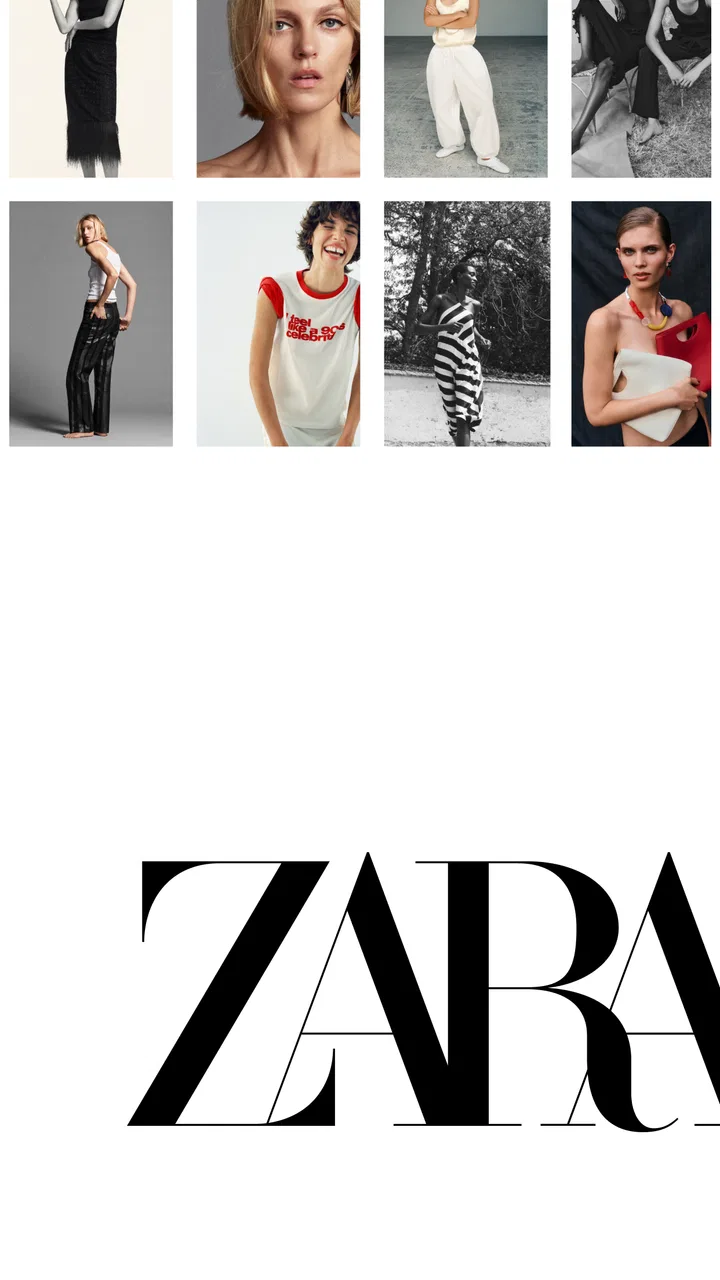
I use Zara when I know roughly what I want but would rather browse from my sofa than walk into a shop without a plan. It is the shopping app from Inditex, focused on Zara’s clothing, accessories, and related collections. The experience is free, rated for Everyone, and available on Android from version 8.0 onward. In everyday use, it feels less like a general marketplace and more like a digital front door to the Zara shopping experience.
That distinction matters. I would not open it expecting the broad seller variety of a marketplace app or the deep product comparisons of a specialist fashion platform. I open it when I want to see Zara’s current selection, check an item carefully, decide whether it suits a particular occasion, and move from browsing to purchase without switching between several unrelated services. Its biggest strength is keeping discovery and shopping in one focused place.
From “I need an outfit” to a finished Zara order
I use a clear starting point—an occasion, an item, or a practical need—to keep browsing from turning into aimless scrolling. In this section, I’ll follow that choice through product inspection and the basket, then look at how the app’s pace feels when I’m comparing several options at once.
You May Also Like

 AccuWeather: Weather Radar
AccuWeather Review: A Quick, Clear Forecast for Everyday Decisions
For everyday plans, the best forecast is the one you can understand quickly. AccuWeather makes rain timing, radar, and local conditions easy to act on, with a few trade-offs.

 Hill Climb Racing
Why Hill Climb Racing Still Turns Crashes Into One More Run
A tiny car, a bumpy hill and one more upgrade: Hill Climb Racing keeps resurfacing because its simple chaos makes every near-miss feel personal.

 AliExpress - Shopping App
AliExpress Makes Global Shopping Feel Personal, but Shoppers Bear the Risk
AliExpress turns a global marketplace into a pocket-sized discovery engine. Its reach is useful, its shopping loop compelling, and its trade-offs easy to miss.

 Lords Mobile: Kingdom Wars
Lords Mobile Is a Kingdom-Building Routine, Not a Quick Match
A case-by-case verdict on the building, battles, device demands, and social commitments that make Lords Mobile rewarding for some players and exhausting for others.

 PDF Scanner app - TapScanner
TapScanner Makes Paperwork Easier to Capture, Check, and Share
TapScanner makes scanning with a phone feel less like a rescue operation and more like a dependable step in getting work done. Its capture tools are useful, though not flawless.

 Block Blast!
 Shows How Much a Puzzle Game Can Leave Out
A quiet grid game shows why puzzle players increasingly value instant clarity, repeatable skill and low-pressure play—and where the genre still needs to catch up.
More From Our News Desk
View All News


Starting with a real shopping problem
My most useful way to approach the app is to begin with a specific situation rather than an open-ended search. For example, imagine I need something presentable for a dinner but do not want a complete formal outfit. I can start by browsing the women’s or men’s sections, looking through the current visual presentation, and narrowing my attention to jackets, trousers, shirts, dresses, shoes, or accessories that fit the occasion.
This is where the app feels more helpful than simply visiting a physical store with no preparation. The visual layout gives me a sense of Zara’s current style direction before I spend time travelling. I can compare several possible looks in a short session, save promising items for later consideration, and return when I am ready to make a decision. That is particularly useful when I am shopping between other tasks rather than planning a long visit.
I also find it useful for a less obvious scenario: checking whether an item I noticed in a shop is worth pursuing. Instead of relying on memory, I can search through the app and inspect the product presentation again. If I am choosing between similar colours or cuts, seeing them together on screen helps me avoid buying the first acceptable option simply because I am already standing in a fitting area.
Moving from inspiration to a specific item
Once I find something interesting, I slow down at the product page. Clothing can look convincing in a campaign image but feel completely different when considered as a practical purchase. I look at the available images, read the description, check the listed composition and care information, and pay attention to the size choices before adding anything to my basket.
This is one of the places where patience pays off. I do not treat the first image as the whole product. I rotate through the available views, inspect seams and proportions where the photography allows it, and think about what I would wear with the item. A jacket that looks striking alone may be difficult to combine; a simple top may become more useful if I already own trousers that match it. The app supports that decision, but it cannot replace my judgement about fit, fabric feel, or personal comfort.
For sizing, I use the information shown on the individual product rather than assuming that one Zara garment will fit exactly like another. This is a practical habit because cuts vary: an oversized shirt, a fitted blazer, and straight-leg trousers should not be approached with the same expectations. If I am between sizes or buying something where shoulder, waist, or length matters, I treat the app as a planning tool and remain open to trying the item in person when that option is more sensible.
Building the basket without losing control
The basket is most useful when I treat it as a shortlist, not as a commitment. I often place a few alternatives there while comparing colours, silhouettes, or possible combinations. This lets me see whether I am solving the original need or drifting into impulse shopping. Before moving forward, I remove pieces that only looked appealing in isolation and keep the ones that work with clothes I already have.
A helpful workflow is to create a complete outfit mentally before paying. If I am looking at a dress, I consider whether I already have suitable shoes and a jacket. If I am choosing trousers, I check whether the rise and shape make sense with the tops I own. This prevents the common online-shopping outcome of receiving one attractive item that creates a second shopping problem.
I also use the basket to compare the cost of convenience with the cost of uncertainty. An item with a questionable fit may be better purchased only after an in-store try-on. A basic piece in a familiar cut may be reasonable to order directly. The app makes adding items easy, so the discipline has to come from me. That is not a flaw unique to Zara, but the clean browsing experience can make over-selection feel effortless.
The handoff from screen to store or delivery
The most important part of the journey is the handoff. The app begins with an image and ends with a physical garment, and that transition introduces uncertainty that no interface can remove completely. I check the available fulfilment choices shown during the purchase process and choose the route that matches my urgency and confidence in the item.
If I am unsure about fit, a store-based option is more attractive because it keeps the physical inspection closer to the decision. If I already know the style and size, delivery can save time and make the whole purchase more convenient. My choice depends less on the app itself than on how much risk I am willing to accept for that particular garment.
When I do visit a store after browsing, the app has already done useful preparation. I arrive with a shortlist instead of wandering through every rail. I can compare the real fabric and construction against what I saw on screen, decide whether the colour works under ordinary lighting, and abandon the item quickly if the fit is wrong. That is a much better use of a short lunch break than starting from zero.
The reverse handoff is useful too. After seeing a garment in person, I may use the app to revisit its details rather than trying to remember the exact name or style. This is especially helpful when several pieces look similar. I can confirm the product information and make a more deliberate choice instead of relying on a rushed fitting-room impression.
What the finished result feels like
When the workflow goes well, Zara reduces the number of separate decisions I need to make. I can discover a piece, inspect it, place it beside alternatives, and continue toward purchase in one environment. The result is not just a faster transaction; it is a clearer shopping process. I know what I was looking for, why I selected it, and whether I chose delivery or a store visit because of fit, urgency, or convenience.
That makes the app especially suitable for people who already enjoy Zara’s design language and want a more controlled way to shop it. It is also useful for busy shoppers who prefer to prepare before entering a store. Someone buying clothes for work, travel, a social event, or a seasonal wardrobe refresh can use the app to reduce browsing time and arrive at a decision with less guesswork.
The scale of adoption supports that role: the app has passed 50 million installs, and its average rating is 4.8 from a very large user base. I would not treat popularity as proof that every interaction will be perfect, but it does suggest that the basic shopping workflow works well for many people. The developer, Inditex, has kept the product closely tied to the Zara retail identity rather than turning it into a general-purpose fashion marketplace.
Where the flow breaks down
The first weak point is the difference between seeing clothing and understanding clothing. A screen cannot tell me exactly how a fabric feels, whether a colour suits my skin tone, or whether a neckline sits comfortably when I move. Product photography can help me narrow a choice, but it cannot eliminate the value of a fitting room. For tailored pieces, shoes, and garments with a close fit, I often prefer using the app to prepare and the store to verify.
The second issue is decision overload. Zara’s visual presentation encourages browsing, which is enjoyable when I have time but less helpful when I need one dependable item quickly. I can move from one attractive product to another without a clear stopping point. My solution is to define the occasion, colour range, and maximum number of candidates before I start. Without those limits, the app can turn a simple purchase into an extended session.
There is also a practical trade-off between the app and a broad shopping marketplace. A marketplace is better when I want to compare competing brands, read a wide range of independent user feedback, or search for the lowest price across sellers. A department-store app may be better when I want several labels in one basket. Zara is stronger when I have already decided that Zara is the right brand and want a direct, visually coherent route through its own assortment.
I would also skip it as my main shopping tool if I need detailed long-term reviews from other buyers before every purchase. The app is designed around Zara’s own presentation, so my evaluation still depends heavily on the product information and images supplied within that shopping environment. For a purchase where durability, exact fit, or technical performance is the central concern, I would supplement the app with an in-person inspection or independent research rather than relying on browsing alone.
Small habits that improve the experience
My first tip is to browse by need, not only by category. “A layer for a cool evening” is a more useful starting point than endlessly opening every jacket. This keeps the session connected to a real decision and makes it easier to reject pieces that do not solve the problem.
My second tip is to inspect a product twice: once for appearance and once for use. On the first pass I ask whether I like it. On the second I ask whether I can wear it with at least two things I already own, whether the care requirements suit my routine, and whether the cut makes sense for the occasion. That second pass is where many unnecessary purchases disappear.
My third tip is to use the app before a store visit rather than assuming it must replace the store. I make a shortlist, note the sizes or colours I want to investigate, and then use the physical visit to answer questions the screen cannot answer. This combined workflow is often better than choosing between “online” and “in person” as if only one route were allowed.
My fourth tip is to separate urgency from excitement. If I need an outfit soon, I favour a familiar shape and a straightforward handoff. If I am simply browsing, I can save the idea and return later. That pause helps me distinguish a useful addition from a garment that only looked appealing because the presentation was well styled.
Who should install it
I recommend Zara to shoppers who regularly buy from the brand, like browsing fashion visually, or want to prepare a store visit before leaving home. It is a good fit for someone who values a direct brand experience and wants to move from inspiration to a focused basket without navigating unrelated sellers. It also suits people who shop in short bursts and need to resume a decision later.
I would be more cautious if you need extensive cross-brand comparison, highly technical product research, or certainty about fit without visiting a store. In those cases, a marketplace, a multi-brand retailer, or a physical fitting session may serve you better. The app is not a universal replacement for every kind of fashion shopping; it is a focused Zara channel.
My final take after using the full workflow
Zara works best when I use it deliberately. It helps me turn a vague clothing need into a shortlist, prepare for a store visit, or complete a purchase from home when I already understand the item I want. The free app has been available since October 11, 2012, and its current version is 18.8.1, with support for Android 8.0 and later. Those details make it accessible to a broad range of Android users, while the Everyone rating keeps its intended audience open.
My honest recommendation is to see it as a planning and shopping companion rather than a substitute for judgement. Use the images and product information to narrow the field, use the basket to test whether the purchase makes sense, and use a store visit when fabric or fit carries too much risk. With that approach, the app feels efficient without encouraging me to forget the physical realities of clothing.
For Zara regulars, I think it is worth having because it shortens the distance between noticing a style and acting on it. For shoppers who want every brand, the lowest possible price, or extensive independent comparison, another shopping option will probably be more appropriate. I would recommend it to a friend who already likes Zara and wants a calmer, more prepared way to shop the brand.
FAQs for Zara
01What features does the Zara app offer?
The Zara app provides users with a seamless shopping experience, offering features like an intuitive product search, personalized recommendations, and easy navigation through various categories. Users can also access their order history, track shipments, and receive notifications about sales and promotions. Additionally, the app supports multiple payment methods for a convenient checkout process.
02Is the Zara app available for both Android and iOS devices?
Yes, the Zara app is available for download on both Android and iOS platforms. Users can find it on the Google Play Store for Android devices and the Apple App Store for iOS devices. The app is optimized for various screen sizes, ensuring a smooth experience whether on a smartphone or tablet.
03How does the Zara app handle user data and privacy?
The Zara app is committed to protecting user privacy and follows strict data protection protocols. It requires users to create an account for personalized services, but all sensitive information is encrypted. The app also provides options for users to manage their privacy settings and choose what data they wish to share.
04Does the Zara app offer any exclusive deals or promotions?
Yes, the Zara app frequently offers exclusive deals and promotions that are not available in-store or on the website. Users can receive notifications about these special offers directly through the app. To take advantage of these deals, users should ensure they have enabled notifications and regularly check the app for updates.
05What should I do if I encounter issues with the Zara app?
If you experience any issues with the Zara app, there are several steps you can take. First, ensure your app is updated to the latest version. If problems persist, try restarting your device or reinstalling the app. For further assistance, users can contact Zara's customer support directly through the app or visit their website for help.
Pros
- User-friendly interface with intuitive navigation.
- Extensive product catalog with detailed descriptions.
- Regular updates with the latest fashion trends.
- Easy order tracking and customer support access.
- Personalized recommendations enhance shopping experience.
Cons
- Limited payment options compared to competitors.
- App occasionally lags during peak hours.
- Size availability can be inconsistent.
- No virtual try-on feature for apparel.
- Push notifications can be overwhelming.

Zara
Gallery